
Metamation Developer Notes

  • Developer Notes
  • Resource Map
  • Tools
    • Code Formatting
    • Configuring Git
    • Assignments
    • Testing with Windows Sandbox
    • Single Binary Applications
    • Self-Updating Applications
  • Flux Workflow
    • Flux Workflow
    • Flux Development Style Guide
    • Release notes for Flux
    • SonarCloud analysis for Flux
    • Build a Flux SDK Program
    • Shipping Flux
    • Flux.Test
      • BasicBendAuto Test
      • LaserAuto.cs Detailed Documentation
      • Laserexample:Test1
  • Technical Notes
    • File formats
      • .FX File Format
      • Au(Gold) streams
      • .GEO File Format
      • .LST File Format
      • .LST file - technology
      • .BNC File Format
      • .WAD Files: Flux Resource Packages
      • .Curl Files: ASCII config information
    • Folders App
      • Data\Bendtools
      • Data\Machines
    • FluxCode
      • Welcome & Repo Map
      • Architecture & System Context
      • Subsystem *Bend* (Press Brake)
      • Subsystem *BCell* (Bend Cell Automation)
      • API Maps
      • Data Model Catalog
      • Design Patterns -- A Reader's Guide
      • Tests and Golden Paths
      • Guided Code Tours
      • CAM Glossary with Code Mapping
      • Assignments
      • Flux Onboarding Handbook
    • Data flow
      • Part
        • Part.Dwg
        • Part.Load
        • Part.Load to Part.Dwg
      • BendTech.cs
      • Bend Technology
      • Laser Cutting Technology
    • Machine ID Scheme
  • FluxTester
    • LaserTooling.cs Test Steps
    • Fluxtester Recipe Book
    • Nesting.cs Overview
    • Nesting.cs Recipe Book
    • Job.cs Overview
    • Job.cs Recipe Book
  • 3d party software
    • Python
  • Documentation
    • Bento tool
      • Structure
      • Attributes
    • Software
      • Software Requirement
      • Installation
      • Git Workflow
      • Environment Variable
      • Tools
    • Workflow
      • Roles
      • Analyze
      • Edit
      • Proofread
      • Pre-Publish
      • Publish
      • Release cycle
      • Information required for Documentation Team
      • Checklist for Documenters
    • Styleguide
    • Flavoring
    • Translation
      • General process
      • Anchor points
      • BT Diff Generation
      • BT Translate
      • BT Apply Changes
      • Order at Seprotec
    • Citations
Documentation
/
Translation
/
BT Apply Changes

BT Apply Changes

  • After the translation is done click on 'Import Patch' button at the bottom of the screen and choose the file from the file explorer.
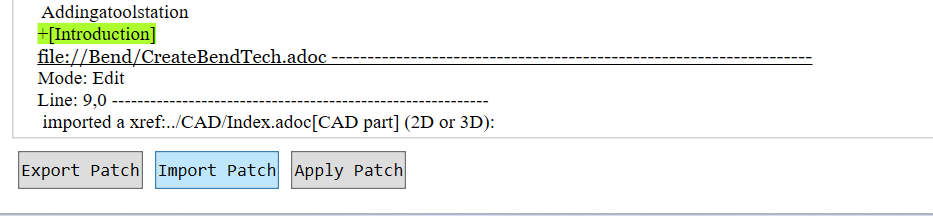
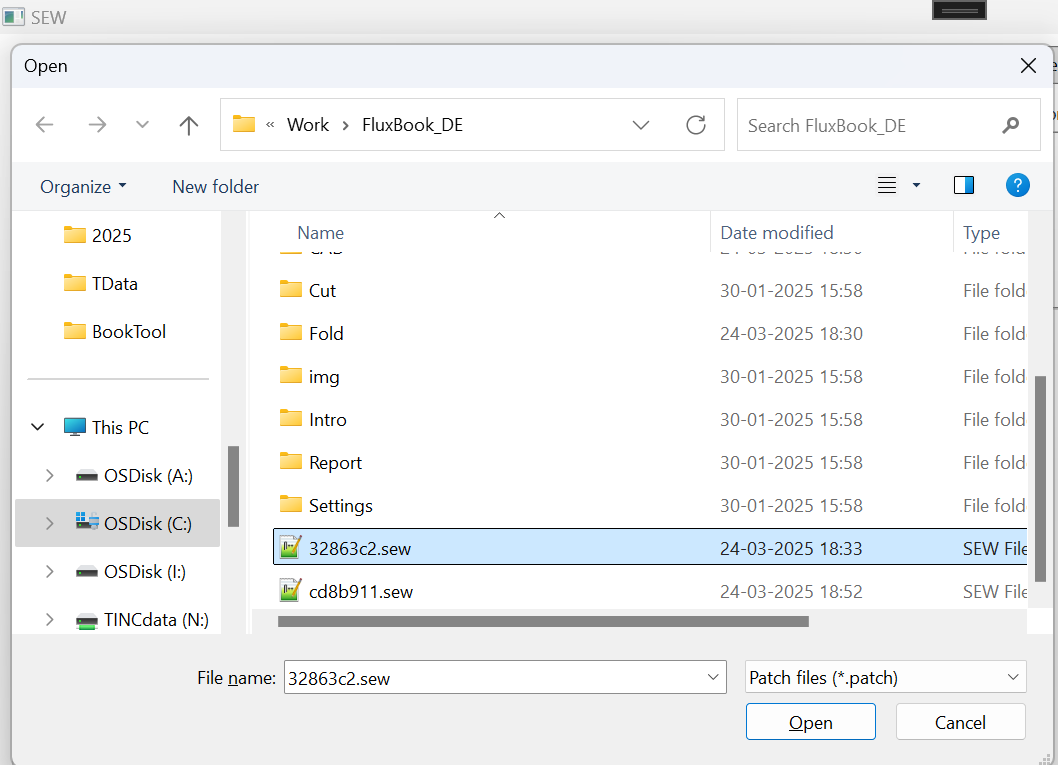
image14

image15

  • File will be loaded on the right side of the screen.
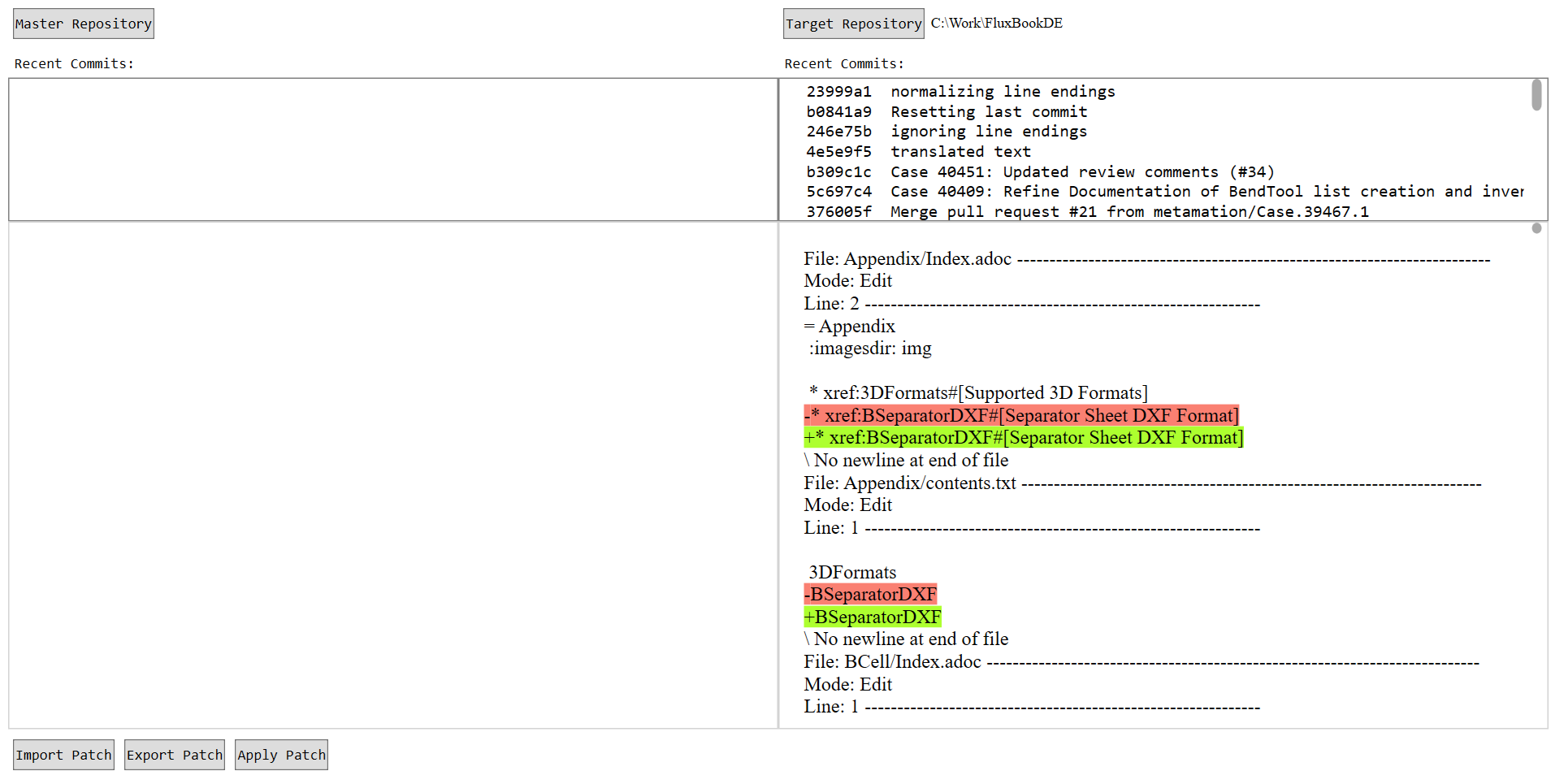
image16

  • Click on Apply patch. The right document will contain a detailed description if any error is encountered. Applying can sometimes take a while, user should not close the application while it is underway.

image17

  • Patches that can be applied are applied, and failed patches are stored in Failed.sew in the target repository. A small description is given as to why the patch application may have failed. The user may use the hyperlink to open Failed.sew, make the necessary changes and import to file to apply the remaining changes.
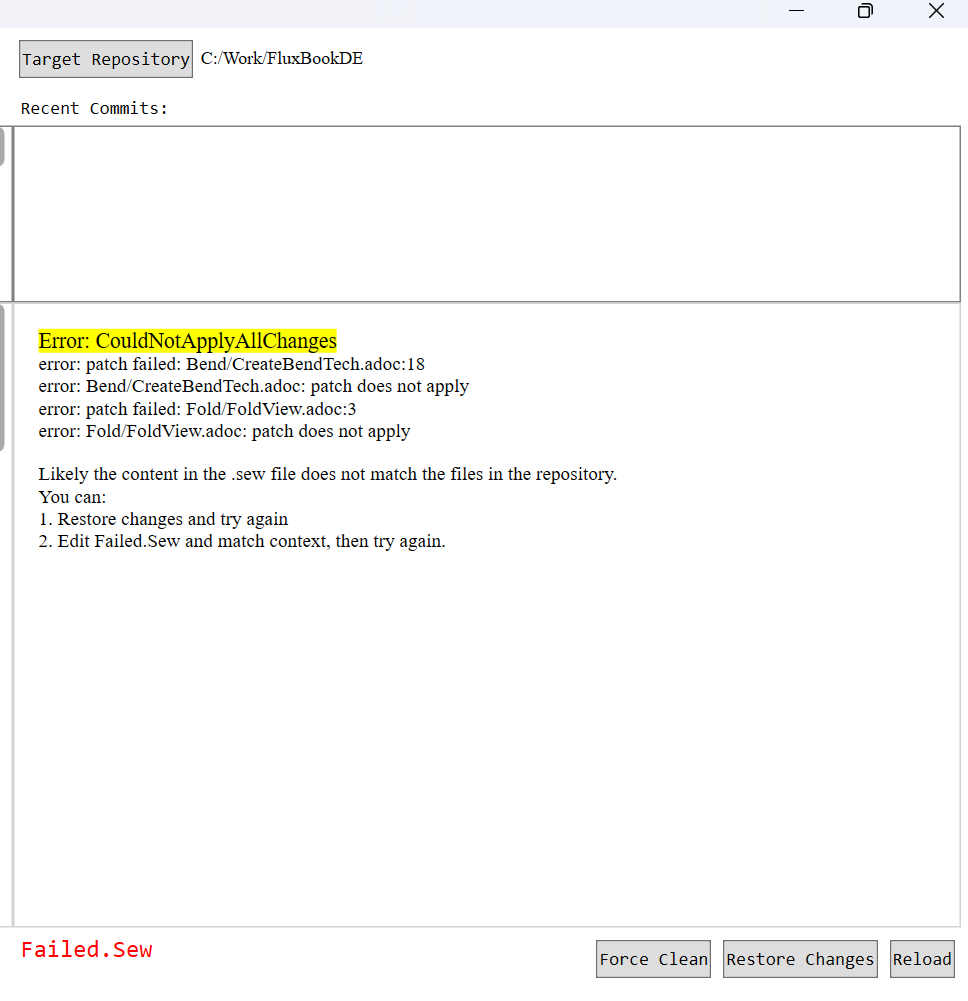
image18

  • Generally, “Error: Cannot Apply Patch” or “CouldNotApplyAllChanges” messages occur because you are trying to apply changes already there in the target repository.

  • Use the Restore Changes button to run the “git restore .” command (remove all un-staged changes) and the Force Clean button to run “git clean -f” command (remove any unwanted files) on the target repository.

  • If any patch is applied, a diff is shown in winmerge/any difftool, if it is configured.
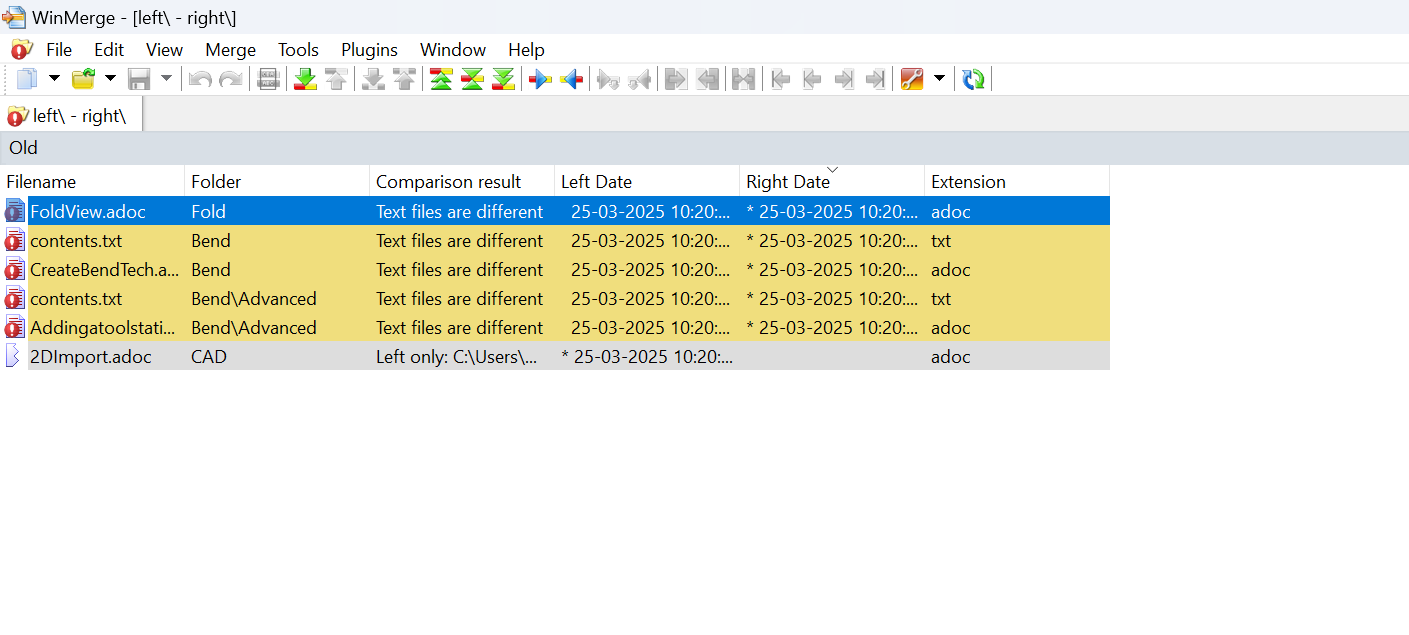
image19

  • Changes can also be seen in the tool’s right window by choosing files from the treeview on the left. Sew also supports applying changes made in other file formats such as .pngs.

image20

Currently, only .png is supported for images.
  • Use the following Shortcuts to navigate in the Flow Documents:

    1. Press Ctrl+G to go to a specific line in document after content has loaded.

    2. Press Ctrl+F to find occurrences of words.

BT Translate Order at Seprotec

      Copyright © 2025 TRUMPF Metamation. All rights reserved.

    Compiled by Bento