
Proofread
| Document review process is done in GitHub, hence a reviewer must have a GitHub username and access to relevant repository. |
Basically, a pull request is assigned to a reviewer in GitHub for review. The reviewer opens the pull request page to see the changes made by comparing the files. A typical pull request page is shown below:
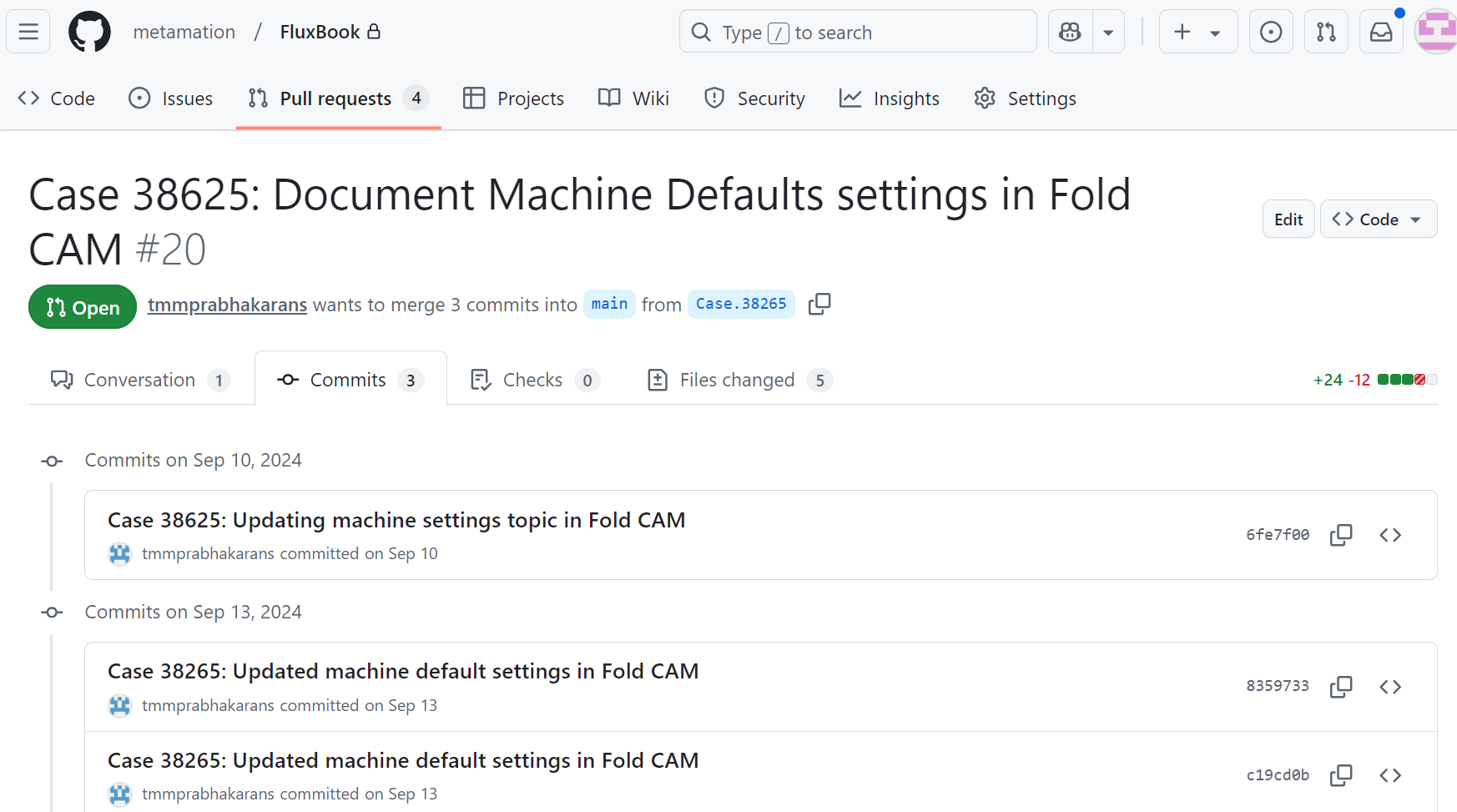
-
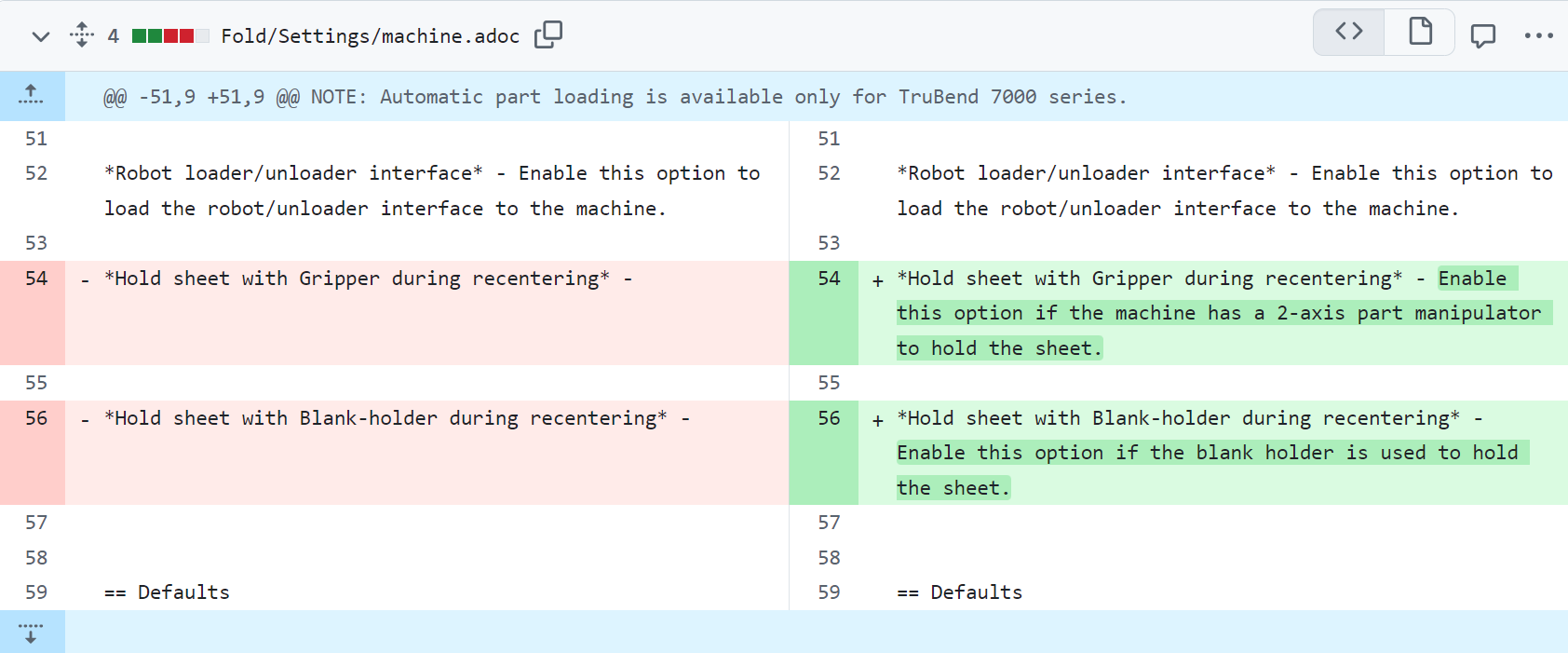
Click the files changed tab to view the diff. On the left side the reviewer can see the source file and on the right side is the changes introduced.
-
These changes are listed file wise. Mostly we use .adoc and .png file format to create our documents.
-
By default the reviewer can see the diff in code view
 . This gives a detailed view of added, modified, and deleted contents from the source file.
-
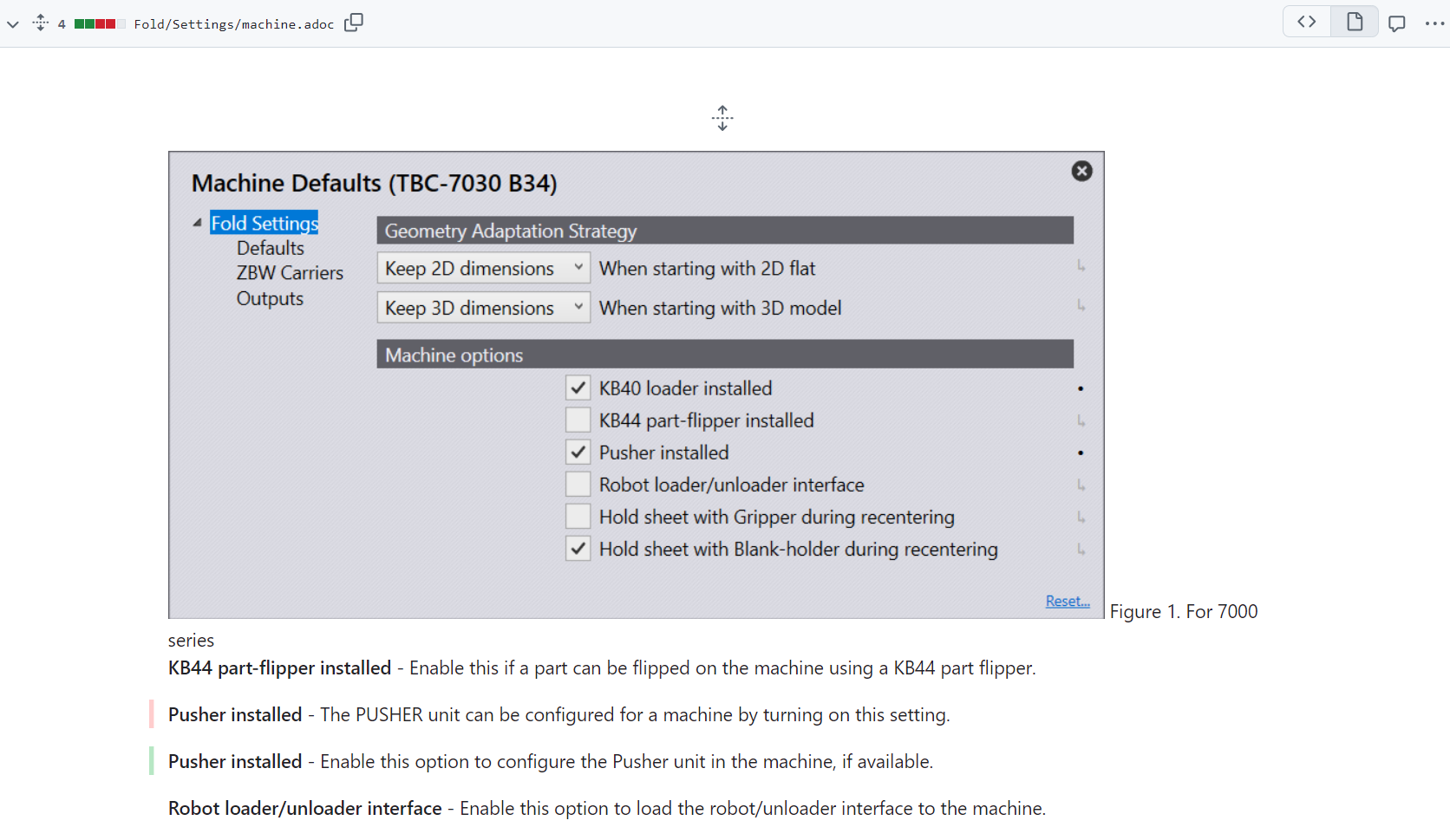
To view the changes in the rendered output, click on the display the rich diff
 icon.
-
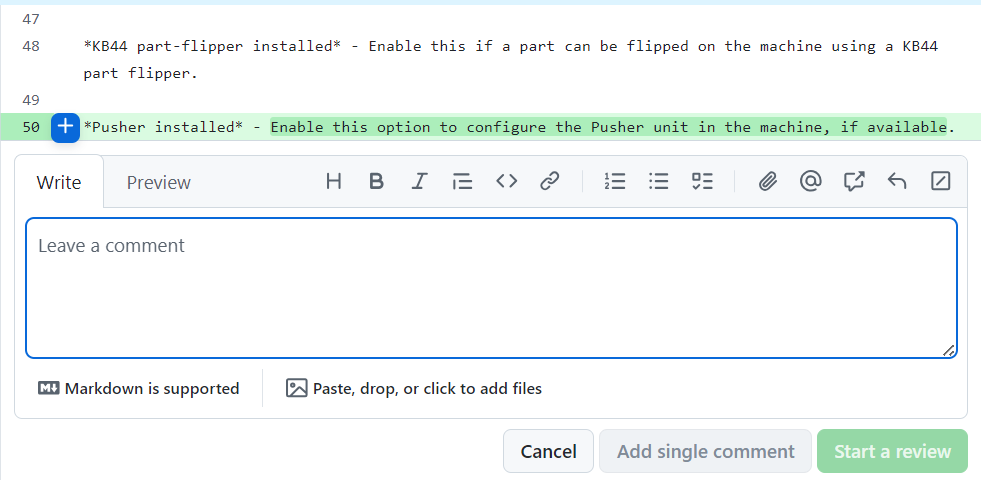
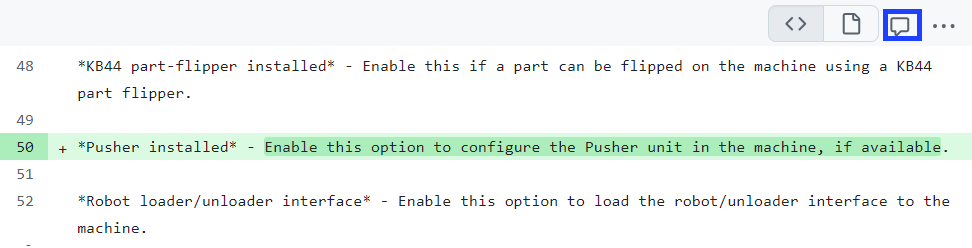
To add review comment, click the
 icon next to code line number. Also, multiple lines can be selected by clicking and dragging the lines.
-
To comment directly on a file, click the comment icon
 and type your comments.
-
Once you are done with the review, click the submit review button.
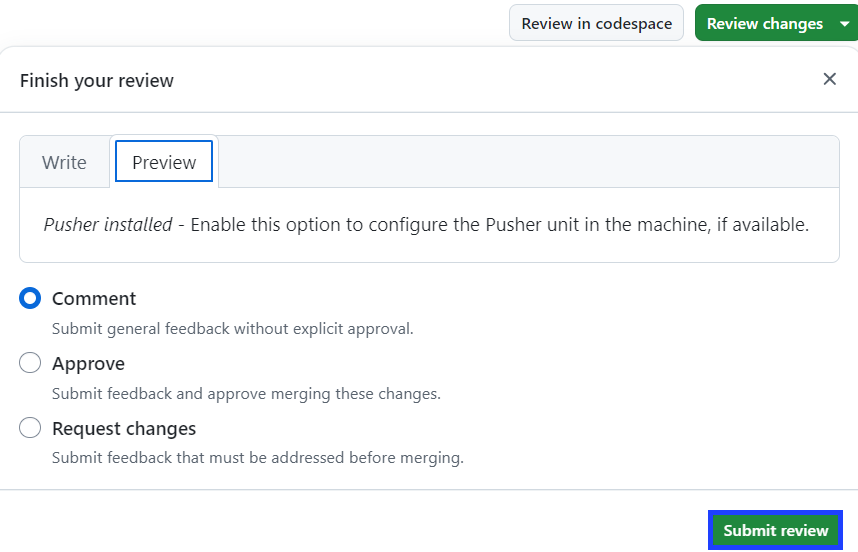
Similarly, the reviewer can also Request changes and assign the pull request back to the person who created it.
If there are no review comments and the changes in the pull request looks fine, the pull request can be Approved.