
Data\Machines
Machine data is stored analogously. On developer machines, each potential machine is stored in a sub-folder of Data/Archive/Machines, and that sub-folder has the machine ID as its name. On customer installations, the entire set of machines is packed into a single Machines.wad file stored alongside Flux.exe.
When a machine is installed, Flux creates a folder with the machine ID inside Data/Machine and places marker.bin there. Other files are added over time in that same folder. For example, if the user edits machine settings, settings.curl is created there. If the user edits available options for that machine, like bend-guard or support-table options, those are stored in files such as options.ini. The actual machine data is still always fetched from Data/Archive/Machines or Machines.wad, so there is no data duplication.
The redirect.map file
There are over 200 machines in Flux, and more are added over time. Across machine models there is substantial duplicated data. For example, BG1.Mesh is the 3D model of the left back-gauge for most Trumpf 6-axis machines. The same file appears in many machine model folders. Similar duplication exists throughout Data/Archive/Machines.
A redirection mechanism removes these duplicates. It is invoked with this command:
flux.console streamlinewad x:\data\archive\machines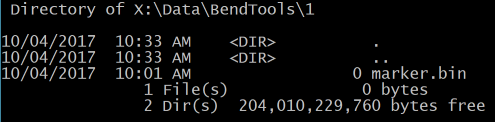
This analyzes all files in the specified location, finds duplicates, deletes duplicate copies, and creates a redirection map stored in the root folder as redirect.map. Example entries:
120021/settings.curl | 120000/settings.curl
120021/Model/Beam.mesh | 120020/Model/Beam.mesh
120021/Model/BedCrash.dxf | 120010/Model/BedCrash.dxf
120021/Model/BendAidCarriage.geo | 120000/Model/BendAidCarriage.geo
120021/Model/BG.geo | 120000/Model/BG.geo
The first line means that if 120021/settings.curl is requested, 120000/settings.curl should be used instead because both are identical. After this entry is created, 120021/settings.curl is deleted.
At runtime, redirection is automatic because all file access goes through the IStmLocator interface. Any time Flux opens configuration or database files, it uses FX.OpenRead or FX.OpenWrite. A typical read call is:
FX.OpenRead("mc:120021/settings.curl")This gets mapped to either FileStmLocator or ZipStmLocator depending on whether the environment is a developer machine or an end-user installation. In both cases, redirect.map is used to resolve equivalent files, and the rest of Flux remains unaware of the optimization.
This redirection keeps machine database size very small. With 220 machines, the database is about 7.7 MB, averaging about 35 KB per machine. As a contrast, the TruTops database averages around 7 MB per machine, and their full machine database is about 1.6 GB. In short, Flux stores 220 machines in roughly the space TruTops uses for one machine.
|
Note
|
The term wad denotes a read-only data folder. It is just a ZIP file with a different extension, and because it is not written to, it can be installed in locations where Flux does not have write permissions. Factoid: WAD is an acronym coined by John Carmack and stands for Where’s All the Data. |