Metamation Developer Notes

  • Developer Notes
  • Resource Map
  • Tools
    • Code Formatting
    • Configuring Git
    • Assignments
    • Testing with Windows Sandbox
    • Single Binary Applications
    • Self-Updating Applications
  • Flux Workflow
    • Flux Workflow
    • Flux Development Style Guide
    • Release notes for Flux
    • SonarCloud analysis for Flux
    • Build a Flux SDK Program
    • Shipping Flux
    • Flux.Test
      • BasicBendAuto Test
      • LaserAuto.cs Detailed Documentation
      • Laserexample:Test1
  • Technical Notes
    • File formats
      • .FX File Format
      • Au(Gold) streams
      • .GEO File Format
      • .LST File Format
      • .LST file - technology
      • .BNC File Format
      • .WAD Files: Flux Resource Packages
      • .Curl Files: ASCII config information
    • Folders App
      • Data\Bendtools
      • Data\Machines
    • FluxCode
      • Welcome & Repo Map
      • Architecture & System Context
      • Subsystem *Bend* (Press Brake)
      • Subsystem *BCell* (Bend Cell Automation)
      • API Maps
      • Data Model Catalog
      • Design Patterns -- A Reader's Guide
      • Tests and Golden Paths
      • Guided Code Tours
      • CAM Glossary with Code Mapping
      • Assignments
      • Flux Onboarding Handbook
    • Data flow
      • Part
        • Part.Dwg
        • Part.Load
        • Part.Load to Part.Dwg
      • BendTech.cs
      • Bend Technology
      • Laser Cutting Technology
    • LTS (Long term support mechanism)
    • Machine ID Scheme
  • FluxTester
    • Commands and Scripts
    • Command Cookbook
    • Script Commands
    • BendTooling.cs Test Inventory
    • LaserTooling.cs Test Steps
    • Fluxtester Recipe Book
    • Nesting.cs Overview
    • Nesting.cs Recipe Book
    • Job.cs Overview
    • Job.cs Recipe Book
  • Software license
  • 3d party software
    • Python
  • Documentation
    • Bento documentation
      • Structure of a Bento page
      • Attributes
    • Software
      • Software Requirement
      • Installation
      • Git workflow for documentation contributors
    • Quick start guide
    • Workflow
      • Roles and responsibilities
      • Analyze
      • Edit
      • Proofread
      • Pre-Publish
      • Publish
      • Release cycle
      • Information required for Documentation Team
      • Checklist for Documenters
    • Styleguide
    • Flavoring
    • Translation
      • Ordering translation for a new document
    • Citations
    • Annotation
Documentation
/
Citations

Citations

In general, software programs developed in TINC are translated in 23 different languages. To facilitate the translation of the user interface (UI) and the document, a system of citations is used. This allows for a consistent reference between the document and the UI elements across all languages.

This citation system is based on the XLATE .json export, which contains all the phrases used in the UI. Each phrase has a unique ID that can be referenced in the documentation. When translating the documentation, these IDs are used to ensure that the correct phrases are linked to their corresponding UI elements.

All the UI elements from the source code are exported to the Xlate database (internally named as translation tables).

To insert these IDs, the following syntax is used in the asciidoc file of the bento documentation:
UI phrase.

While compiling a document, the Bento tool will replace these syntaxes with the actual phrases from the XLATE .json file.

To achieve this, Xlate .json files are converted into .txt format for each product across all supported languages, and then stored in their corresponding documentation repositories.

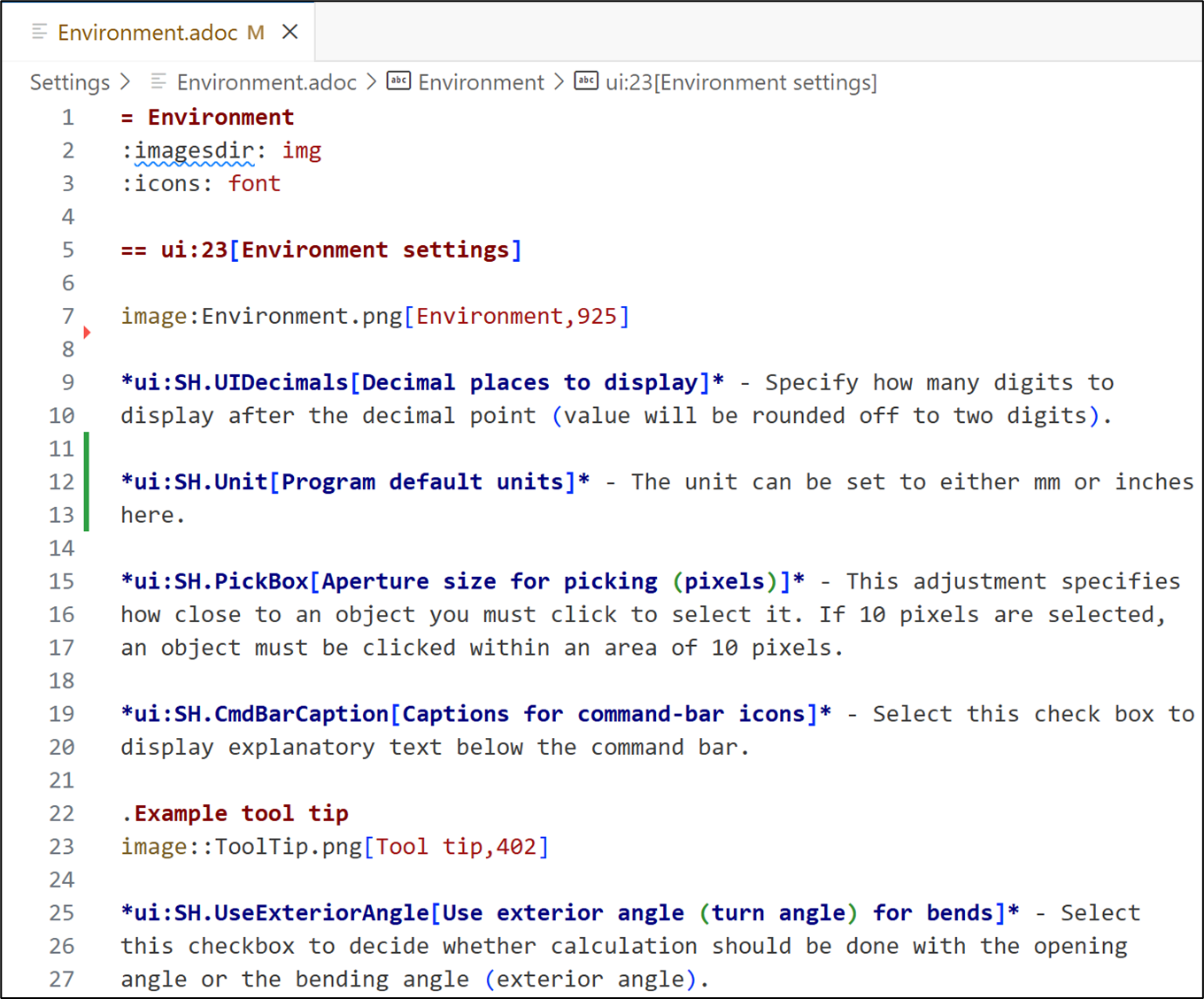
The following image illustrates how to insert the syntax in the documentation:
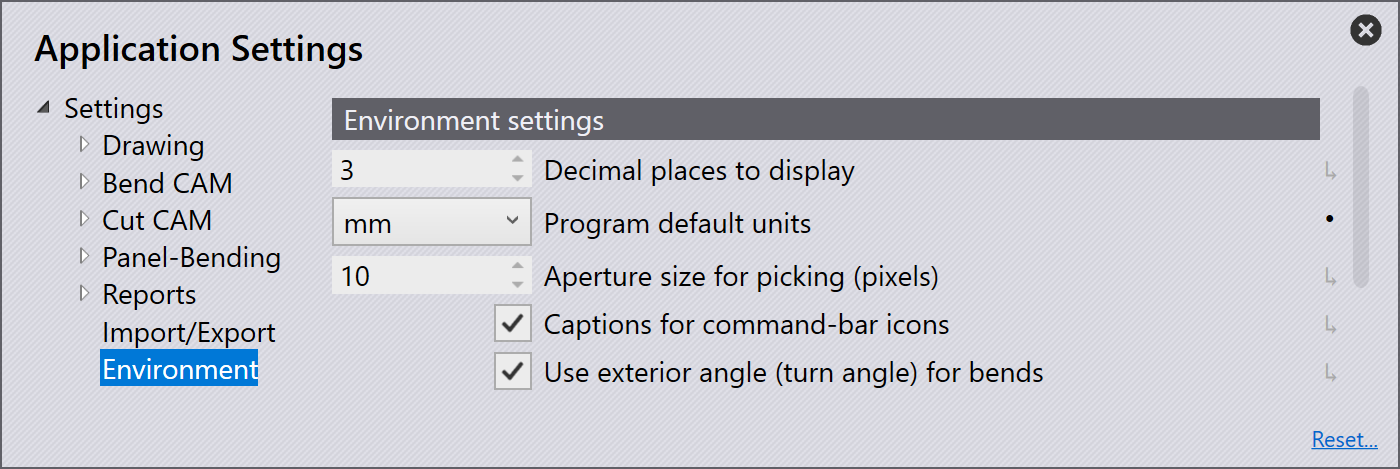
Flux environment settings
Figure 1. Flux environment settings
Document code
Figure 2. Asciidoc file with UI syntax
Ordering translation for a new document Annotation

      Copyright © 2025 TRUMPF Metamation. All rights reserved.

    Compiled by Bento