Metamation Developer Notes

  • Developer Notes
  • Resource Map
  • Tools
    • Code Formatting
    • Configuring Git
    • Assignments
    • Testing with Windows Sandbox
    • Single Binary Applications
    • Self-Updating Applications
  • Flux Workflow
    • Flux Workflow
    • Flux Development Style Guide
    • Release notes for Flux
    • SonarCloud analysis for Flux
    • Build a Flux SDK Program
    • Shipping Flux
    • Flux.Test
      • BasicBendAuto Test
      • LaserAuto.cs Detailed Documentation
      • Laserexample:Test1
  • Technical Notes
    • File formats
      • .FX File Format
      • Au(Gold) streams
      • .GEO File Format
      • .LST File Format
      • .LST file - technology
      • .BNC File Format
      • .WAD Files: Flux Resource Packages
      • .Curl Files: ASCII config information
    • Folders App
      • Data\Bendtools
      • Data\Machines
    • FluxCode
      • Welcome & Repo Map
      • Architecture & System Context
      • Subsystem *Bend* (Press Brake)
      • Subsystem *BCell* (Bend Cell Automation)
      • API Maps
      • Data Model Catalog
      • Design Patterns -- A Reader's Guide
      • Tests and Golden Paths
      • Guided Code Tours
      • CAM Glossary with Code Mapping
      • Assignments
      • Flux Onboarding Handbook
    • Data flow
      • Part
        • Part.Dwg
        • Part.Load
        • Part.Load to Part.Dwg
      • BendTech.cs
      • Bend Technology
      • Laser Cutting Technology
    • LTS (Long term support mechanism)
    • Machine ID Scheme
  • FluxTester
    • Commands and Scripts
    • Command Cookbook
    • Script Commands
    • BendTooling.cs Test Inventory
    • LaserTooling.cs Test Steps
    • Fluxtester Recipe Book
    • Nesting.cs Overview
    • Nesting.cs Recipe Book
    • Job.cs Overview
    • Job.cs Recipe Book
  • Software license
  • 3d party software
    • Python
  • Documentation
    • Bento documentation
      • Structure of a Bento page
      • Attributes
    • Software
      • Software Requirement
      • Installation
      • Git workflow for documentation contributors
    • Quick start guide
    • Workflow
      • Roles and responsibilities
      • Analyze
      • Edit
      • Proofread
      • Pre-Publish
      • Publish
      • Release cycle
      • Information required for Documentation Team
      • Checklist for Documenters
    • Styleguide
    • Flavoring
    • Translation
      • Ordering translation for a new document
    • Citations
    • Annotation
Tools
/
Assignments

Assignments

Assignments are part of Metamation Academy’s intensive course on programming fundamentals. These assignments give the participants an opportunity to self-evaluate their level of understanding and put new concepts into practice.

How to push Academy assignments for review

Pre-requisites:

  1. GitHub account

  2. Git configuration

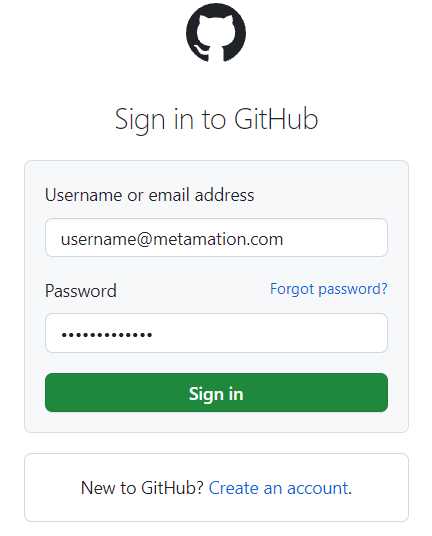
Sign in to GitHub

  • In your browser, open GitHub URL.

signin
  • Provide your user credentials in Username or email address and Password fields.

  • Click the Sign in button.

Creating a Git repository

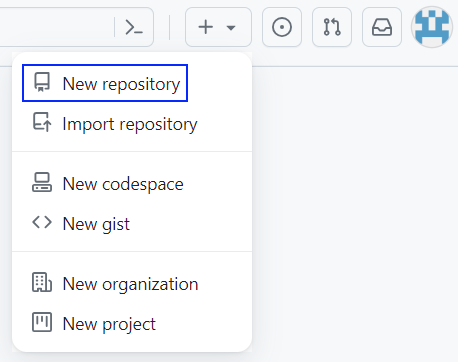
  • On the Dashboard page, Click the drop down button available on the top right corner of the screen to see list of options.

  • Click New repository option.

newrepo
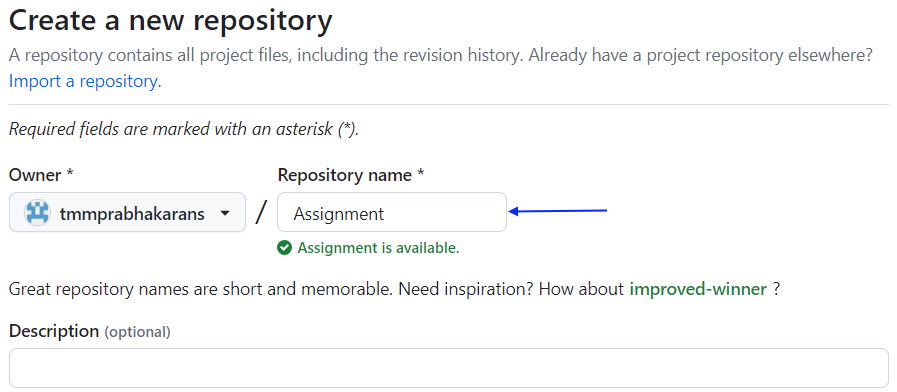
  • Type Assignment under Repository name field and provide a short Description (optional), if required.

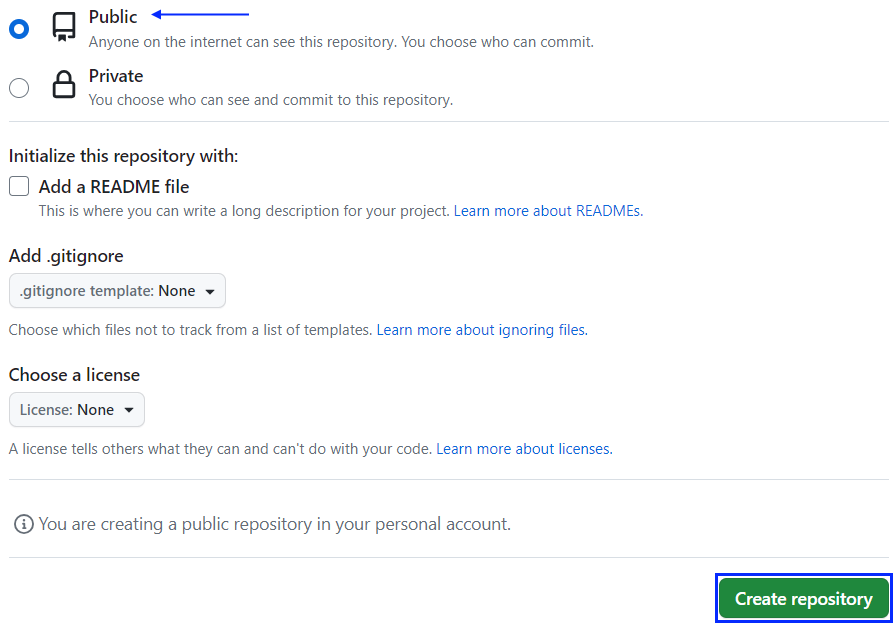
  • Choose Public option for your repository.

  • Press Create repository button.

In the Owner’s field, you must select your GitHub Username.
createnewrepo
createrepo

Git

Clone repository to local

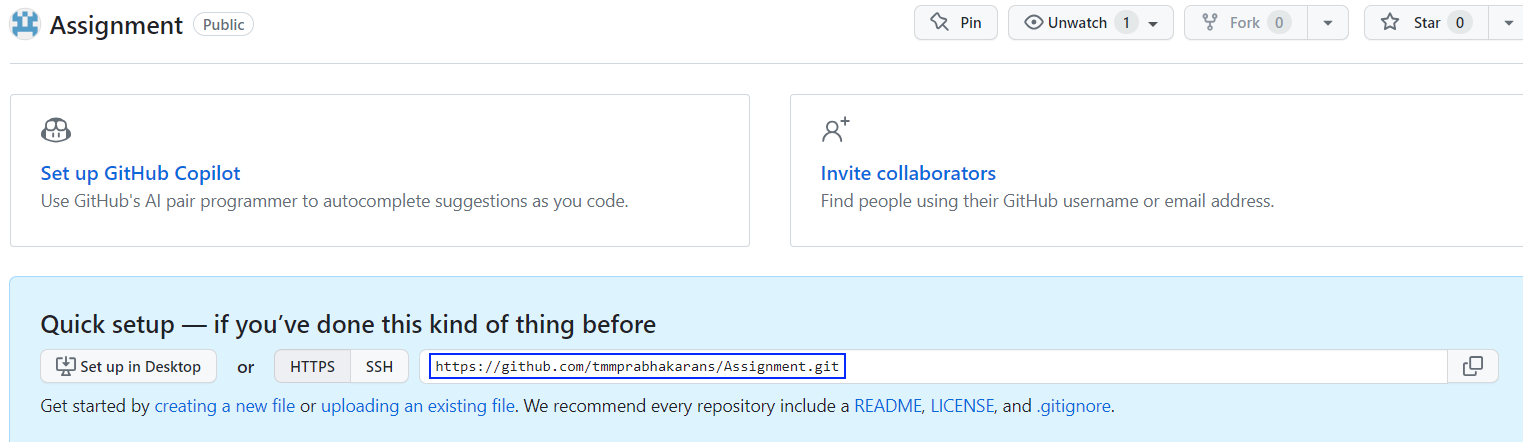
  • Copy the remote repository path.

assignment
  • Initiate command prompt from your Assignment local file folder that you wish to push.

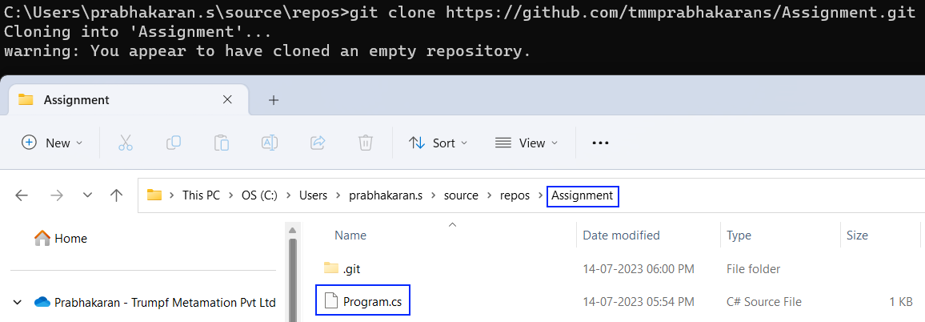
  • Type git clone command along with copied repository path.

gitclone

Creating a git branch

  • In command prompt, type git switch --create A02 to create and switch to a new branch (A02).

Make sure you do not push any files directly to the main branch.
gitbranch

Add files to assignment folder

  • Copy Program.cs file to the Assignment folder.
cloneinto
  • Type git add Program.cs to add the .cs file to local git.

gitadd

Commit files

  • Type git commit -m and add some description within "double quotation marks".

gitcommit

Push branch to origin

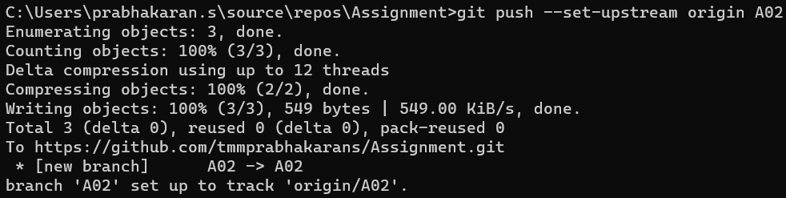
  • Type git push --set-upstream origin A02 to push the branch to GitHub server.

This has to be done whenever a new branch is created.
Once the remote GitHub repository is set as the upstream target for the new Git branch, git push or pull operations can be performed normally with a simple git push origin command.
setupstream

Create pull request for review

  • Go to GitHub Assignment repo and click Pull Request.

pullrequest
  • In the Pull request page, click New pull request option to compare and review between different branches and commits.
newpullrequest
  • Select A02 branch to compare and review the assignment with main branch.

compare
  • Leave a short comment about the pull request and click Create pull request.
createpullrequest
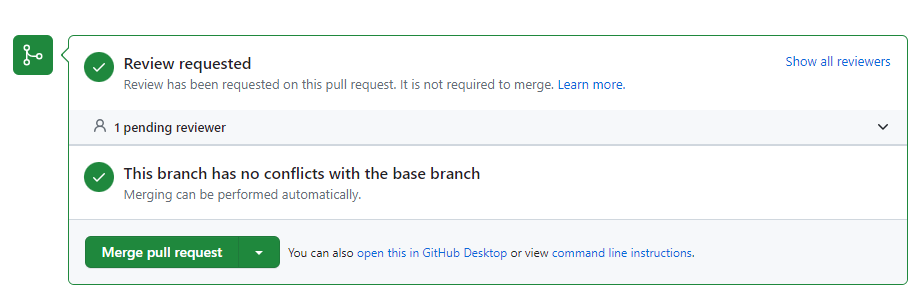
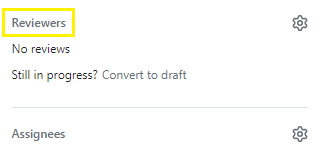
  • Add reviewer details and set the pull request for review.
reviewer
reviewadded

Contents

  • How to push Academy assignments for review
  • Sign in to GitHub
  • Creating a Git repository
  • Git
  • Clone repository to local
  • Creating a git branch
  • Add files to assignment folder
  • Commit files
  • Push branch to origin
  • Create pull request for review
Configuring Git Testing with Windows Sandbox

      Copyright © 2025 TRUMPF Metamation. All rights reserved.

    Compiled by Bento